
Account setup
Binance verification code not arriving? Check email, SMS and authenticator separately
Not getting a Binance code during sign-up or login? Email, SMS and authenticator codes fail for different reasons. Includes Binance’s official sender whitelist and anti-phishing code rules.
When a Binance verification code does not arrive, the instinct is to keep pressing Get Code. That rarely helps, and Binance warns that operating too frequently in a short period can get the account locked. Work out first which kind of code you are waiting for — email, SMS or authenticator — because each one fails for different reasons.
Official help pages checked on 17 September 2026. Publication and update dates for each page are listed at the end. Menu labels change between app versions, so follow what your own screen shows.
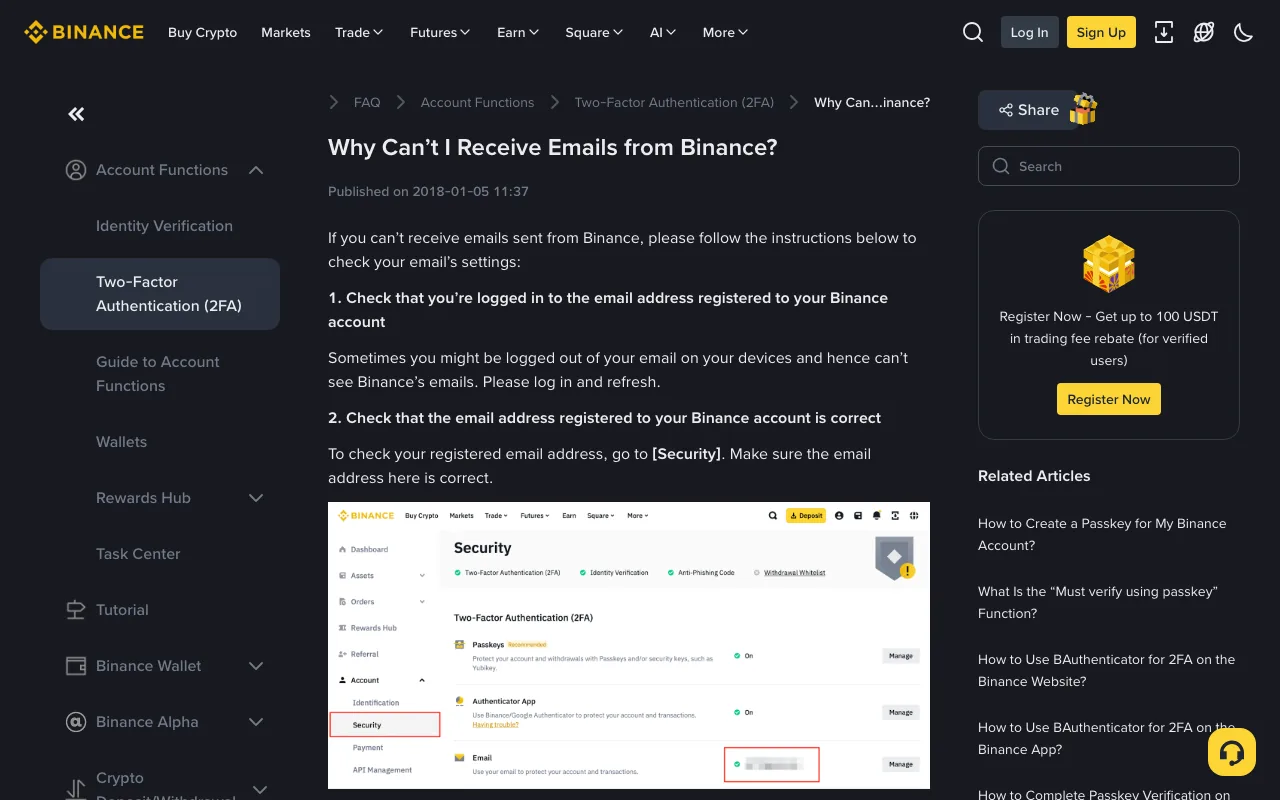
Image: public help page, 17 September 2026. Step 2 — confirming the address on the account is actually correct — is the one people skip.
Which code are you waiting for?
- Email code during sign-up or login. It goes to the address on the account. If that address was mistyped, no number of resends will reach you. If you are still part-way through sign-up, check each field of the Binance registration form before troubleshooting delivery.
- SMS code. It depends on the mobile network and on whether your country or region is covered by Binance's SMS service.
- Authenticator code. Google Authenticator or BAuthenticator generates the six digits on your phone. Nothing is sent, so “not received” does not apply; the problem is a code being rejected.
Email code not arriving
Binance's help page lists six checks, in this order:
- Make sure you are logged in to the email address registered to your Binance account, then refresh. Devices signed in to several mailboxes make this easy to get wrong.
- Check the registered address under [Security]. If it is wrong, the page links to a separate guide for changing it.
- Look in the spam folder and whitelist the official Binance sender addresses.
- Check the email client or server for conflicts caused by a firewall or antivirus software.
- Check mailbox storage. A full inbox cannot receive new mail.
- Use an address on a common domain, such as Gmail or Outlook.
The 2FA troubleshooting page adds two more: confirm you really clicked Get Code, and try again in 10 minutes, because high network traffic can delay delivery. It also notes that if you signed up with an Apple ID using Hide My Email, codes can go to a relay address rather than the one you expect to see — check the inbox that relay forwards to.
Whitelist Binance's sender addresses
If Binance emails keep landing in spam, add the senders to your safe list. Binance's “How to Whitelist Binance Emails?” page (last updated 4 December 2024) lists these addresses:
do-not-reply@binance.com
donotreply@directmail.binance.com
do-not-reply@post.binance.com
do-not-reply@ses.binance.com
do-not-reply@notice.binance.com
do-not-reply@directmail2.binance.com
do_not_reply@mailer.binance.com
do_not_reply@mailer1.binance.com
do_not_reply@mailer2.binance.com
do_not_reply@mailer3.binance.com
do_not_reply@mailer4.binance.com
do_not_reply@mailer5.binance.com
do_not_reply@mailer6.binance.com
do_not_reply@mgmailer.binance.com
do_not_reply@mgmailer2.binance.com
do_not_reply@mgdirectmail.binance.com
notifications@post.binance.com
In Gmail: Settings → See all settings → Filters and Blocked Addresses → Create a new filter, put an address in From, and choose Never send it to Spam. In Outlook: Settings → Email → Junk email → Safe senders and domains → Add, then Save.
Two cautions. Binance says the list is for reference only and that it may email you from other addresses, so an unfamiliar sender is not automatically fake. And whitelisting only lets mail through; it proves nothing about whether a message is genuine. For that, use the anti-phishing code described below.
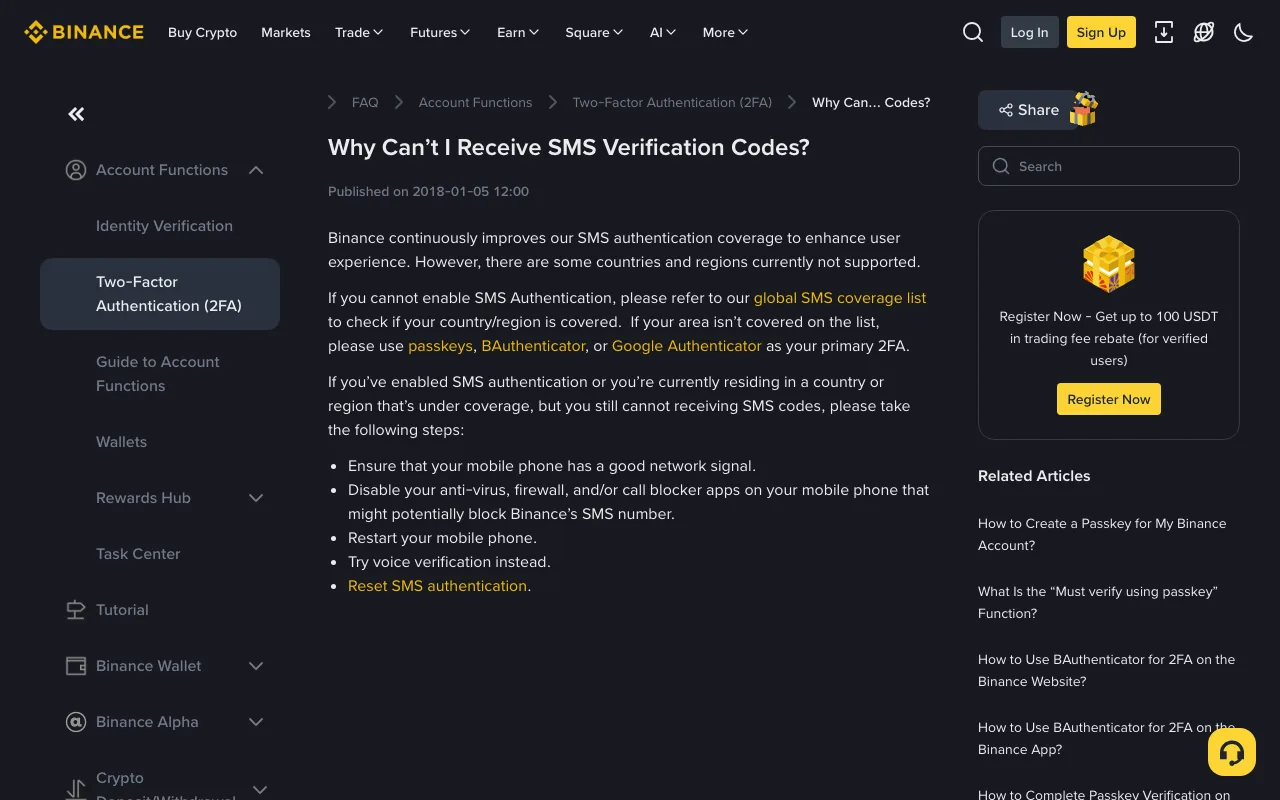
Image: public help page, 17 September 2026. The page starts with coverage, not with your phone.
SMS code not arriving
The SMS help page opens by saying some countries and regions are still not supported. So check coverage before touching your phone settings.
Check the global SMS coverage list linked from that page. If your country or region is not on it, restarting the phone will not help. Binance recommends using a passkey, BAuthenticator or Google Authenticator as your primary 2FA instead.
If you are covered and still receive nothing, Binance suggests:
- Make sure the phone has a good network signal.
- Disable anti-virus, firewall or call blocker apps that might block Binance's SMS number.
- Restart the phone.
- Try voice verification instead.
- Reset SMS authentication.
Step 2 is worth checking early. Spam-filtering apps often move messages from international senders into a blocked folder without notifying you; opening that app's blocked list is quicker than a restart.
The code arrives but is rejected
Binance's page on 2FA code errors, published 10 December 2024, separates two cases:
- Authenticator code rejected: follow the dedicated Google Authenticator troubleshooting guide, try another method such as a passkey, SMS or email, and reset the authenticator if the problem continues.
- SMS or email code rejected: request a new code with Get Code without retrying too often, then try a different device or network, or another verification method.
If several codes have arrived, use the most recent one.
Troubleshooting is when scams work best
Being locked out makes people hurry, and hurrying is what a fake support contact needs. Two habits help.
Set an anti-phishing code. Once enabled, it appears in every genuine email from Binance. According to Binance's guide, updated 28 August 2026, the code must be 6 to 8 characters, use at least three of uppercase letters, lowercase letters, digits and underscores, and contain no other special characters. On the website the path is Profile → Account → Security → Advanced Security → Anti-Phishing Code → Create. An email without your code should be treated as suspicious.
Know what Binance tells you never to do. Its scam-protection page says: never share your password with anyone, never return calls from someone claiming to be a Binance employee or the support team, never send money to anyone claiming to be a Binance employee, and never disclose 2FA backup keys. A verification code falls in the same category — no legitimate helper needs you to read it out. For spotting fake domains and fake support accounts, see how to check whether a message really comes from Binance.
Before contacting support
- Decide whether you are waiting for an email, an SMS or an authenticator code.
- Email: confirm the registered address, check spam, whitelist the senders, wait 10 minutes, then retry once.
- SMS: check the coverage list, then any call or SMS blocking apps; try voice verification or switch to an authenticator.
- Authenticator: sign in with another method first, then deal with the reset.
- If nothing works, contact support only from the official website or app — never through a number or account found in search results or social media.
If the code went through and you are now stuck at uploading documents, that is a different process: find out why Binance identity verification was rejected.
Official pages checked: Why Can’t I Receive Emails from Binance? (published 2018-01-05); Why Can’t I Receive SMS Verification Codes? (published 2018-01-05); How to Whitelist Binance Emails? (updated 2024-12-04); How to Resolve 2FA Code Error for My Binance Account? (published 2024-12-10); What Is an Anti-Phishing Code and How to Set It up on Binance? (updated 2026-08-28); How to Protect Your Binance Account from Scam (published 2021-07-22).
nelunor is independent and is not Binance; we cannot look up or act on any account. Corrections: hello@nelunor.com, with the URL of the page you saw.